
Launcher Minecraft download
This information is current as of August 2026.
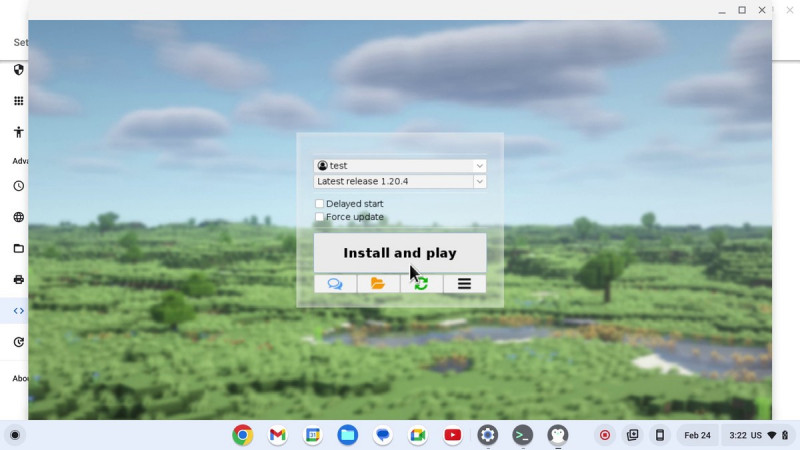
The Minecraft Launcher is the program used to launch the game: it downloads the desired version of Minecraft, installs mods, and manages accounts. You can download a working launcher with mods for free on our website.
Download the launcher
Download the launcher for Windows (zip)
Download the launcher for macOS/Linux (installer)
When you run the launcher for the first time, it will automatically update to the latest version (currently TLauncher 2.9319)—you don’t need to download the update separately.
TLauncher Features

- All versions of the game—from the very first Alpha to the latest Minecraft 26.2 and snapshots—are downloaded directly from the developers' servers without any modifications.
- One-click mods—Forge, Fabric, and OptiFine—are installed automatically: just select the version you want from the list.
- Mod pack system—a catalog of mods, maps, and resource packs with descriptions, compatibility checks, and backups.
- Custom Skins — Skins and capes, including HD ones, are visible to all launcher users.
- Log in with your licensed account—you can play under your license on any server.
How to Install and Run
- Download the launcher from the link above and extract the archive to a separate folder.
- Run the launcher file—if necessary, it will automatically download Java and any updates.
- Enter a nickname or log in with your licensed account.
- Select the game version from the drop-down list (for mods, choose the version labeled "Forge" or "Fabric").
- Click “Play”—the files will download, and the game will launch.
Tip: In the launcher settings, allocate half of your computer’s RAM to the game (using the RAM slider)—Minecraft is memory-intensive, especially with mods and shaders.
Which launcher to choose
| Launcher | Features | Who It’s For |
|---|---|---|
| TLauncher | One-click mods, skins, mod packs, all versions | Most players |
| Legacy Launcher | Lightweight and fast, Ely.by skins, open source | For low-spec PCs and those who appreciate simplicity |
| Official Minecraft Launcher | From Mojang; requires a purchased license | For license holders |
No matter which launcher you use, only download it from trusted sources and do not enter your license account password on third-party websites.
Content on our site
- Minecraft Game Page — Guides and News;
- Download Minecraft for Android;
- Download Minecraft 1.11.2—for older mods.
See also
- At what altitude should you look for diamonds in Minecraft: the best level (2026)
- Minecraft: How to Invite Friends to Your Server (2026)
- How to beat Minecraft and kill the Ender Dragon: a complete guide (2026)
- Best Minecraft Servers 2026: BedWars, Anarchy, and Survival (2026)
- Download Minecraft 1.12
- Everything About Minecraft — All Guides, News, and Reviews
Sources: TLauncher, Legacy Launcher, Minecraft.net