
Battlefield 6 PC System Requirements (2026)
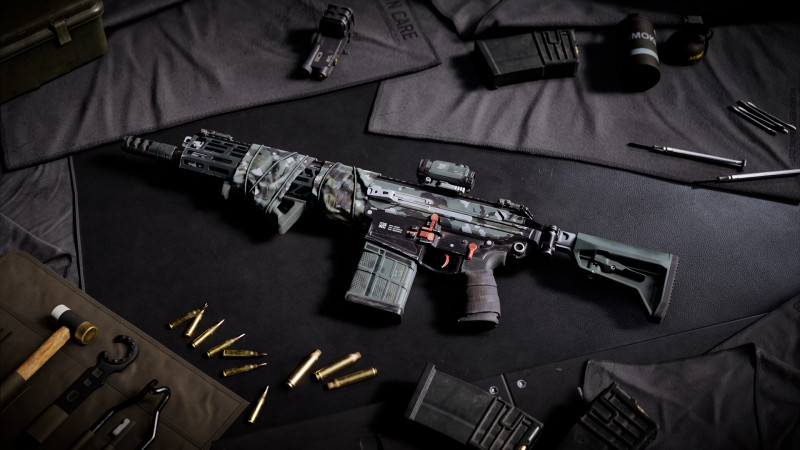
Battlefield 6 needs more than a decent GPU: it requires TPM 2.0, UEFI Secure Boot and HVCI/VBS support in Windows. These are the most common reasons the game refuses to launch on otherwise capable PCs. Below are the official requirements, what to check before buying, and how to raise your FPS.
Official system requirements
| Component | Minimum | Recommended |
|---|---|---|
| OS | Windows 10 | Windows 11 |
| CPU | Intel Core i5-8400 / AMD Ryzen 5 2600 | Intel Core i7-10700 / AMD Ryzen 7 3700X |
| RAM | 16 GB | 16 GB |
| GPU | NVIDIA RTX 2060 / AMD RX 5600 XT 6 GB / Intel Arc A380 | NVIDIA RTX 3060 Ti / AMD RX 6700 XT / Intel Arc B580 |
| DirectX | 12 | 12 |
| Storage | 55 GB | 80 GB |
Note the minimum GPU is an RTX 2060. Integrated graphics and older cards such as the GTX 1060 will not run the game, even if your CPU meets the requirements.
What to enable in BIOS before launch
- TPM 2.0. In BIOS it is called Security Device Support, PTT (Intel) or fTPM (AMD).
- UEFI Secure Boot. Must be enabled, with UEFI boot mode instead of Legacy.
- Virtualization. HVCI/VBS needs VT-x (Intel) or SVM (AMD) plus virtualization in Windows.
- Up-to-date Windows. Old Windows 10 builds may lack VBS features.
Check TPM in Windows: press Win+R and type tpm.msc. Secure Boot status is shown by msinfo32 in the Secure Boot State line.
Why the game will not launch
- TPM 2.0 or Secure Boot disabled — the most common cause; the game errors out at startup.
- Outdated GPU driver — update to the latest driver for your card.
- Not enough VRAM — with 4 GB the game may start but crash in menus.
- Anti-cheat and third-party overlays — disable Discord, MSI Afterburner and similar overlays.
- Pirated copies — unsupported and often fail to launch because of protection.
How to raise FPS
- Lower shadow and reflection quality — the biggest gain with minimal visual loss.
- Disable motion blur and depth of field: little FPS impact, but they hurt aiming.
- Enable DLSS or FSR if your card supports it: an honest 20–30% frame boost in a fast shooter.
- Close the browser and background apps: the game wants all 16 GB.
- Install on an SSD — texture streaming on an HDD causes stutter.
Tips
- Do not buy before checking TPM and Secure Boot; refunding a digital copy is harder than flipping a BIOS switch.
- Compare your GPU to an RTX 2060, not to random "recommended builds" online.
- 16 GB of RAM is the floor, not headroom: with 8 GB the game streams constantly.
- On laptops make sure the game runs on the discrete GPU, not integrated graphics.
- Update Windows — some security features require a recent build.
FAQ
Will Battlefield 6 run on a GTX 1060? Officially no; the minimum is an RTX 2060 or RX 5600 XT.
Why does the game need TPM 2.0? It is an anti-cheat and system integrity requirement checked at launch.
How big is the game? From 55 GB at minimum settings to 80 GB with updates.
Does it run on Windows 10? Yes, Windows 10 is the minimum; Windows 11 is recommended.
Should I disable Secure Boot? No — without it the game will not start.
Do I need an SSD? Not officially, but an HDD causes texture-streaming stutter.
Last updated: November 14, 2026.